Correction & Retouching
Keep common correction tasks within reach.
A dedicated Photoshop productivity panel with correction controls, retouching tools, exposure and shadow adjustments, white balance controls, and quick action buttons — all accessible without leaving your workflow.
Dedicated Utility Panel
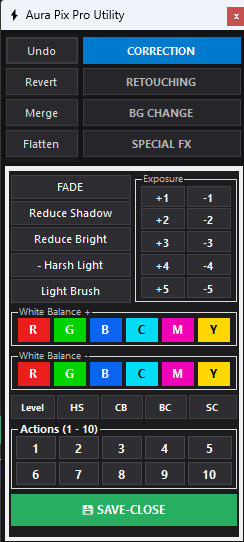
Direct access to FADE, Shadow, Brightness, White Balance & 10 Instant Actions.
Seamless Photoshop Integration
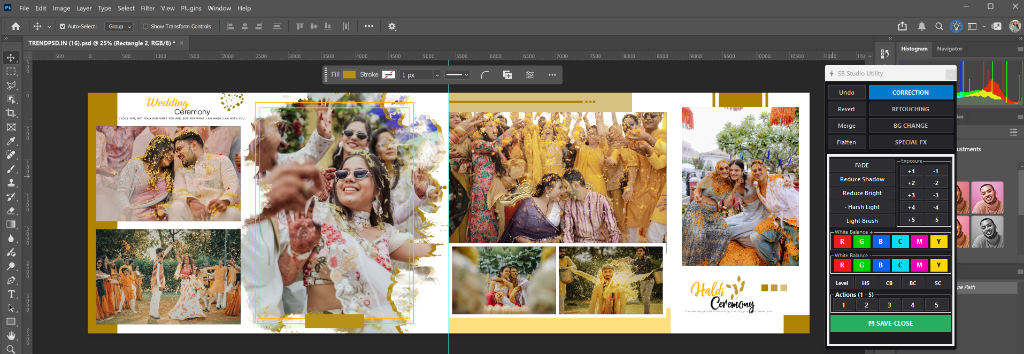
Integrated directly inside your Adobe Photoshop editing canvas.
Built for Studio Efficiency
Tired of hunting through nested Photoshop menus to make simple exposure and color tweaks? The Correction Panel puts all your essential retouching tools in one compact, dedicated workspace.
Quickly fix shadows, adjust white balance (+/- for RGB and CMY channels), control harsh highlights, and run up to 10 automated Photoshop Actions with a single click. Combined with our Save-Close workflow, you burn through wedding photo finishing tasks in a fraction of the time.
Feature Highlights
- Correction and retouching controls
- Exposure and shadow adjustments
- Brightness and highlight controls
- Light Brush tool
- White Balance (RGB, CMY)
- Quick Photoshop Actions (1-5)
- Save-Close workflow