BUILT FOR PROFESSIONAL PHOTO STUDIOS
DesignWeddingAlbumsFaster.WorkSmarter.FinishMore.
Professional Tools for Creative Minds. Aura Pix Pro brings everything you need for fast, high-quality album design right inside Photoshop.

Albumdesigningtakestimeinplacesthataren'tcreative.
Too Many Files
Sorting through thousands of photos is tedious.
Repetitive Tasks
Manual color correction takes hours.
Client Back-and-Forth
Selection processes are unorganized.
Disconnected Tools
Jumping between 5 different software.
Slow Exporting
Saving individual spreads is a pain.
Lost Creativity
You end up doing chores instead of designing.
Aura Pix Pro puts those everyday jobs into one workflow.
Onesoftware.Completestudioworkflow.
For designers who want complete control.
ManualAlbum
Full manual album designing with complete creative freedom. Adjust every frame, change backgrounds, add overlays and effects, swap photos — all within a professional Photoshop workflow.
- Full manual album designing
- Adjust every frame precisely
- Change backgrounds and overlays
- Add effects and cutouts
- Swap photos with one click
- Multi-photo fill / fit in one click
- Professional Photoshop workflow
Select your photos. Generate. Review. Finish.
AutoAlbum
Stop spending hours deciding which photo goes into which frame. Select your photos and let Aura Pix Pro generate album designs automatically with photo-aware layouts and multiple design possibilities.
- Automatic album generation
- Photo-aware layouts
- Multiple design possibilities
- Design Match for similar designs
- Generate complete albums quickly
- Ready-made professional designs
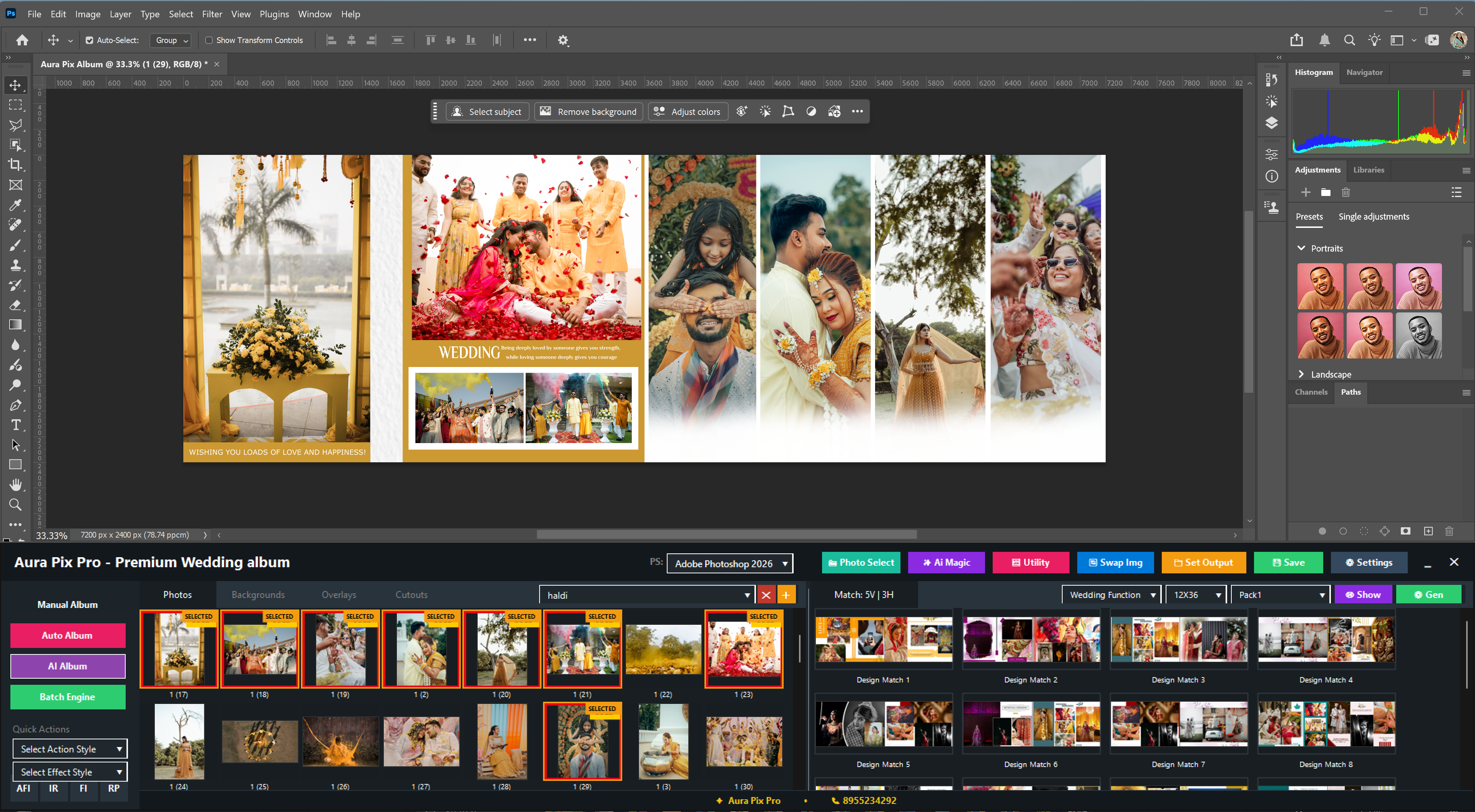
AI-assisted album layout generation.
AIAlbum
Generate multiple album sheets quickly with AI-assisted layout generation. Select your design pack, set photos per sheet, and let the software calculate and generate your album sheets.
- Select design pack and size
- Set minimum and maximum photos per sheet
- Software calculates estimated sheets
- Generate multiple sheets at once
- Quick Generate and Advanced Designer modes
- Faster album creation workflow

Manual + Auto workflow combined.
AdvancedDesigner
The most powerful workflow in Aura Pix Pro. Select photos, generate designs, review 650+ design possibilities, pick your preferred layout, and build your complete album — then open in Photoshop to finish.
- Generate 650+ design possibilities
- Review and select preferred designs
- Design Match for each sheet
- Build complete album sheet by sheet
- Open and edit in Photoshop
- Combined manual and auto workflow
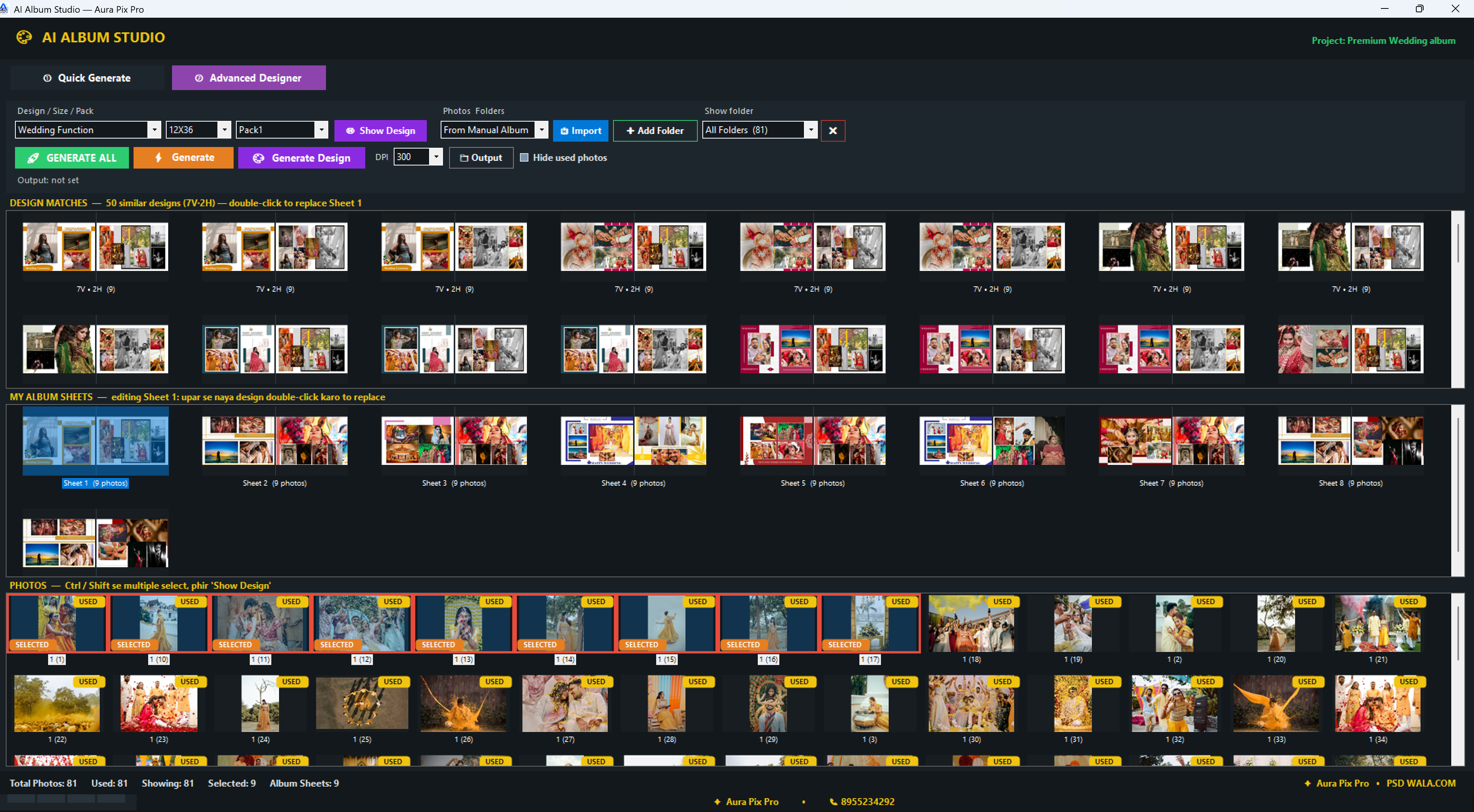
Let clients choose. Get only the selected photos.
ClientPhotoSelection
Generate an offline client gallery for your clients to select photos. Add your studio name and contact, share the gallery file, and extract only the selected photos — no unnecessary back-and-forth.
- Generate branded client gallery
- Add studio name and contact
- Offline photo selection
- Extract selected photos
- Single file or merge multiple selections
- Reduce back-and-forth with clients
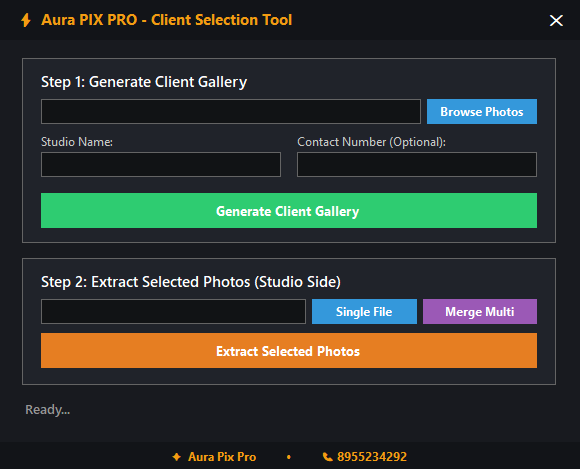
Keep common correction tasks within reach.
Correction&Retouching
A dedicated Photoshop productivity panel with correction controls, retouching tools, exposure and shadow adjustments, white balance controls, and quick action buttons — all accessible without leaving your workflow.
- Correction and retouching controls
- Exposure and shadow adjustments
- Brightness and highlight controls
- Light Brush tool
- White Balance (RGB, CMY)
- Quick Photoshop Actions (1-5)
- Save-Close workflow
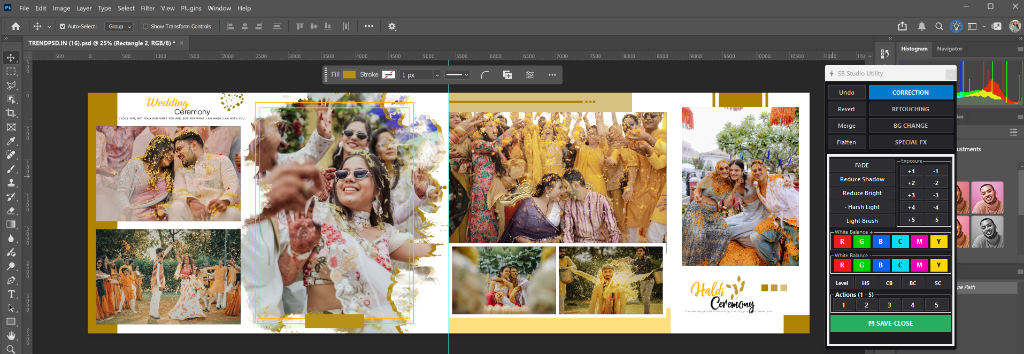
Open the tools you need without cluttering your workspace.
UtilityPanel
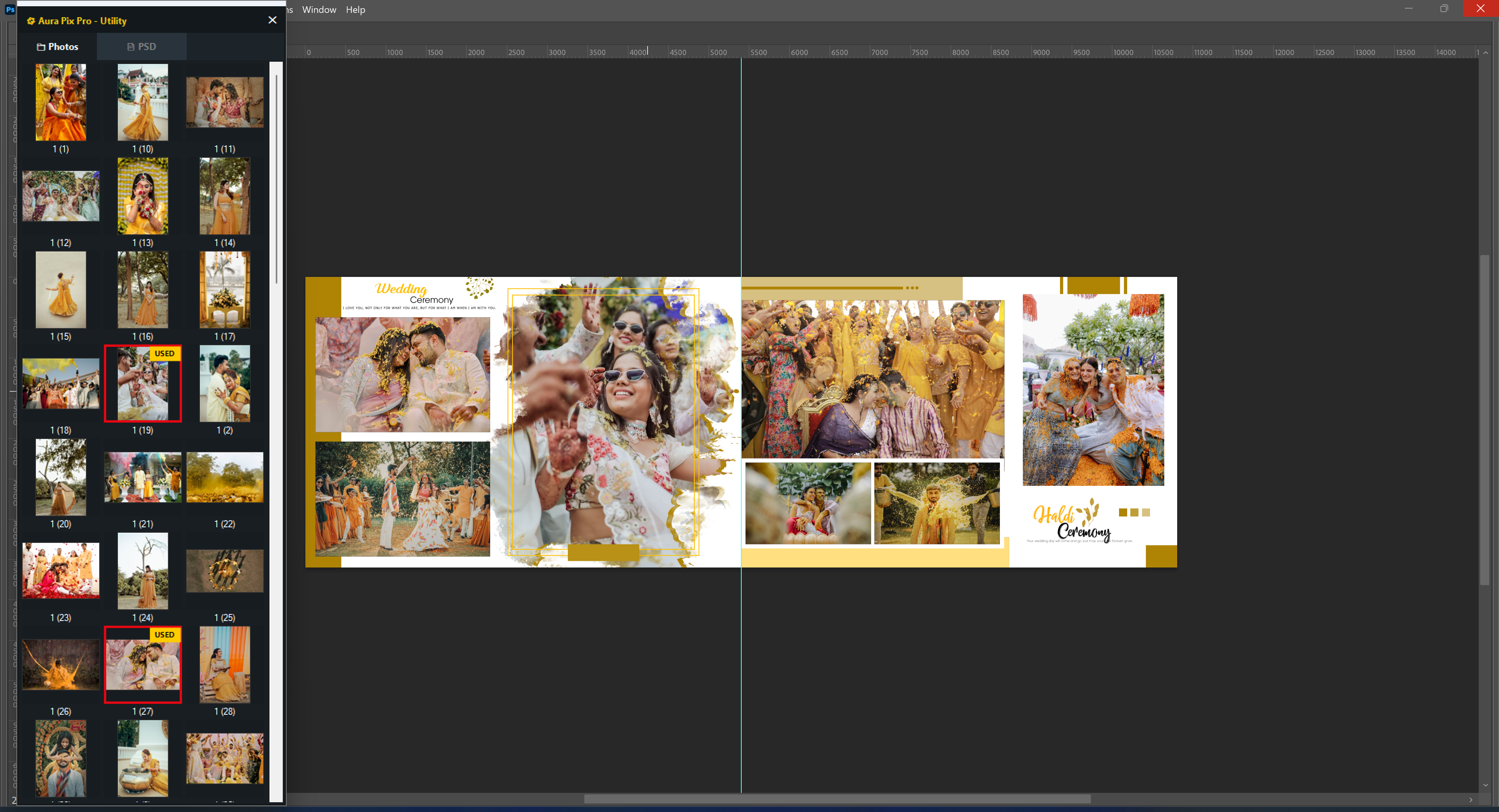
Quick access to your loaded photos and PSD files in one clean panel. Browse thumbnails, see which photos are used, and open PSD files directly — keeping your workspace organized.
- Photos and PSD tabs
- Thumbnail preview grid
- Track used photos
- Quick PSD file access
- Clean, minimal interface
Finish repetitive studio work in batches.
BatchEngine
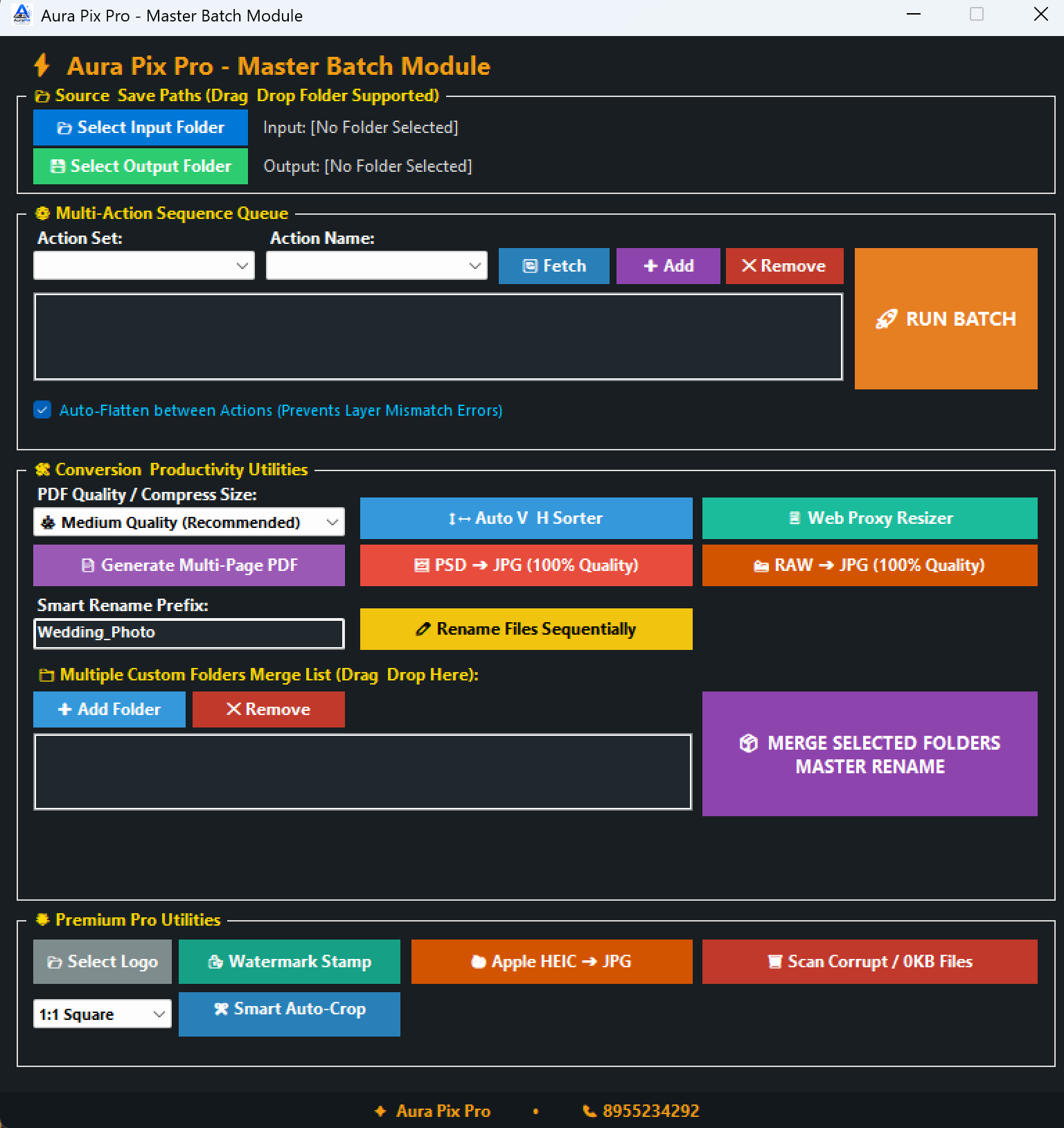
Run multiple Photoshop Actions, convert PSD to JPG, RAW to JPG, generate multi-page PDFs, add watermarks, rename files, sort photos, convert HEIC — all in automated batches.
- Run multiple Photoshop Actions
- Generate multi-page PDF
- PSD → JPG (100% Quality)
- RAW → JPG (100% Quality)
- Auto vertical/horizontal sorter
- Web-size photo resizer
- Watermark / logo stamp
- Apple HEIC → JPG
- Scan corrupt / 0KB files
- Smart Auto-Crop for social media
- Sequential file rename
- Multi-folder merge and rename
Start where you left off.
ProjectManager
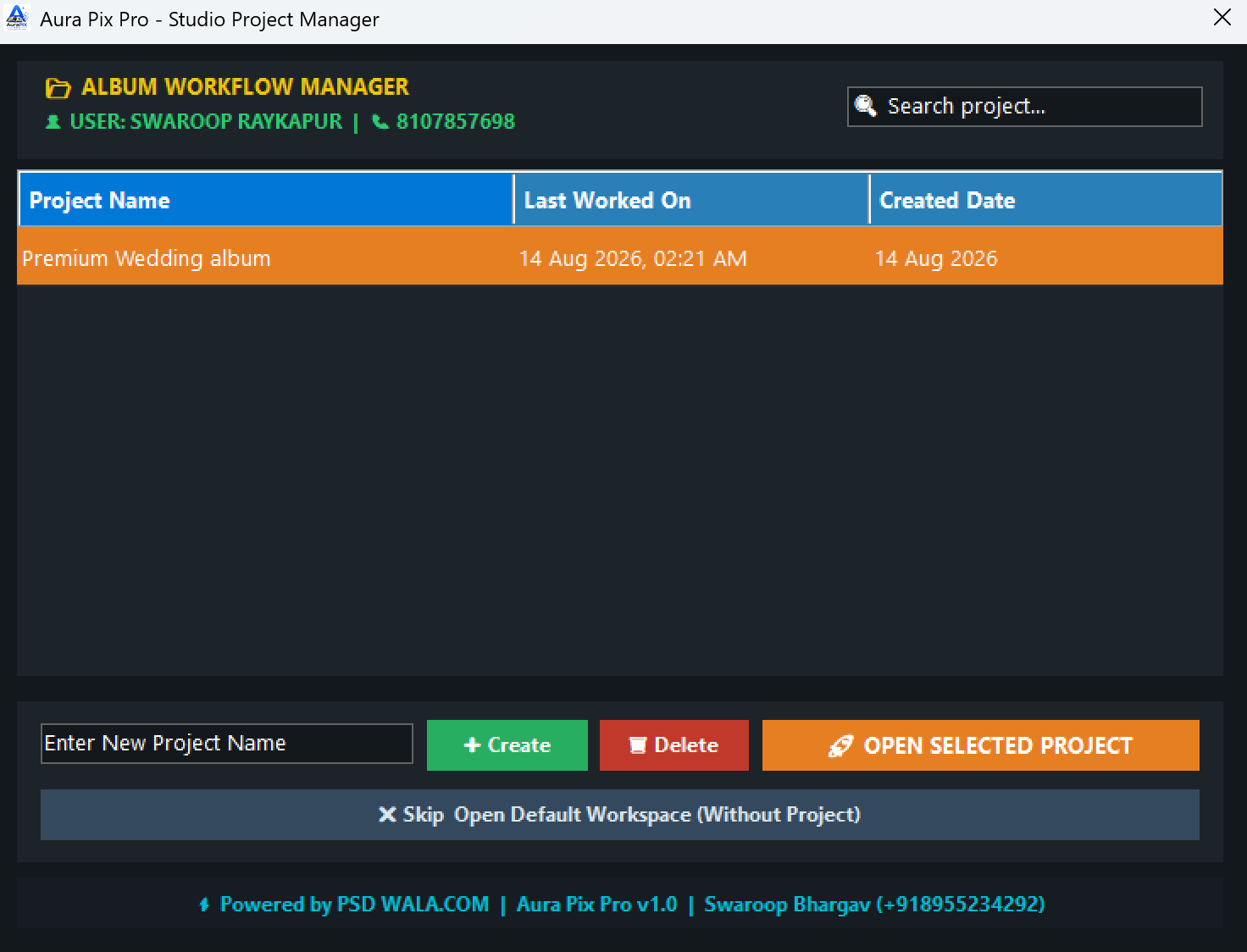
Keep your album projects organized. Create, search, and open projects with last-worked dates so you can resume any wedding or event album exactly where you stopped.
- Create and manage projects
- Search projects
- Last worked date tracking
- Created date tracking
- Open and resume projects
- Organized album workflow
Cloud-based license authorization — your creative files stay in your workflow.
CloudLicense
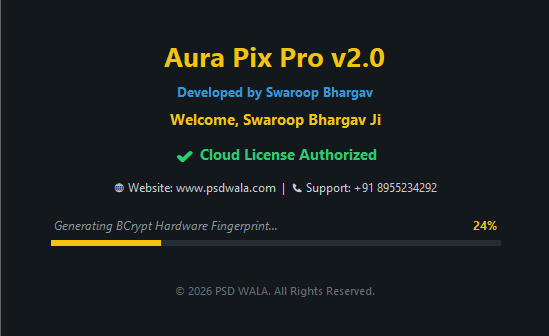
Smooth license authorization through the cloud. Your license is verified online, but your photos and project files stay entirely in your local workflow — nothing is uploaded.
- Cloud-based license authorization
- Hardware fingerprint verification
- Your files stay local
- Smooth software access
- Professional license management
AsmarterworkflowaroundPhotoshop
We know Photoshop is the industry standard. That's why Aura Pix Pro doesn't try to replace it. We built a comprehensive suite of tools that sit right inside your existing workflow, making Photoshop faster, smarter, and specifically tailored for high-volume album design.
HowItWorks
1. Install
Setup Aura Pix Pro within minutes on Windows.
2. Select & Import
Bring in your photos and filter the best.
3. Design or Automate
Build spreads manually or let AI do it.
4. Export & Finish
Batch export and deliver to clients.
WhoIsItFor
Wedding Photographers
Photo Studios
Album Designers
Photo Editors
Freelancers
High-volume Studios
TraditionalvsAuraPixPro
| Workflow | Traditional | Aura Pix Pro |
|---|---|---|
| Client Selection | USB Drives / Google Drive / WhatsApp | Integrated Offline Selection Tool |
| Album Design | Manual placement, slow & tedious | Smart Templates & Auto Match |
| Color Correction | One by one in external tools | One-Click Correction in Photoshop |
| Exporting | Save As repeatedly spread by spread | One-Click Master Batch Export |
| Asset Management | Messy unorganized folders | Studio Project Manager |

“Built by someone who knows your Photoshop struggle.”
I know what it feels like to spend 14 hours every night manually arranging PSD layers, cropping boxes, and running after client selections. That’s why I built Aura Pix Pro — to give Indian wedding photographers their creative freedom and valuable time back.
SeetheInterface
Real Wedding Album Spreads
Every single 12x36 spread shown below was designed 100% using Aura Pix Pro inside Photoshop. Explore full-bleed layouts, creative frames, and elegant typography.
Haldi & Wedding Ceremony 12x36 Spread
Vibrant yellow-themed ceremony spread with multi-photo grid, custom floral motifs, and clean typography.

SeeAuraPixProinAction
Aura Pix Pro Short Overview
Quick walkthrough of Aura Pix Pro studio workflow.
Manual Album Design in Photoshop
Learn fast manual album creation with smart templates.
Client Photo Selection Tool
How to create galleries and extract client selections.
No Waiting. No Calls.
Paste Key & Start Instantly.
Forget manual approvals or waiting hours on WhatsApp. Our automated system generates your official software key the second your payment succeeds.
Pay Securely in 1 Click
Pay ₹2,500 via any UPI (PhonePe, GPay, Paytm), QR code, Card, or NetBanking.
Instant Key On Screen & Mail
Your official Activation Key is generated immediately on your screen and also sent to your Email instantly for future safety and backup.
Paste Key & Start Designing
Open Aura Pix Pro in Photoshop, paste your key once, and all 10 modules unlock permanently.
24×7 Automated Key Generation System
Buying late at night during peak wedding rush? You will still get your license key within 10 seconds automatically. No manual team intervention needed.
Get Aura Pix Pro Today
One-time investment for your photo studio. Complete package with all features.
Full Studio License
Access to all manual, auto, AI, batch, and Photoshop tools.
Instant activation details sent upon checkout.
Spend more time designing.
Less time doing repetitive work.
Join thousands of Indian wedding photographers upgrading their studio workflow with Aura Pix Pro.
Get Aura Pix Pro Today